Create Your Aprenta Account
Getting started with Aprenta takes just a few minutes. The person who creates the account becomes the Owner and has full control over billing, account settings, and user management for the district or school.
Visit the sign-up page to begin. If you already have an account on the login page, click Sign up to get started.
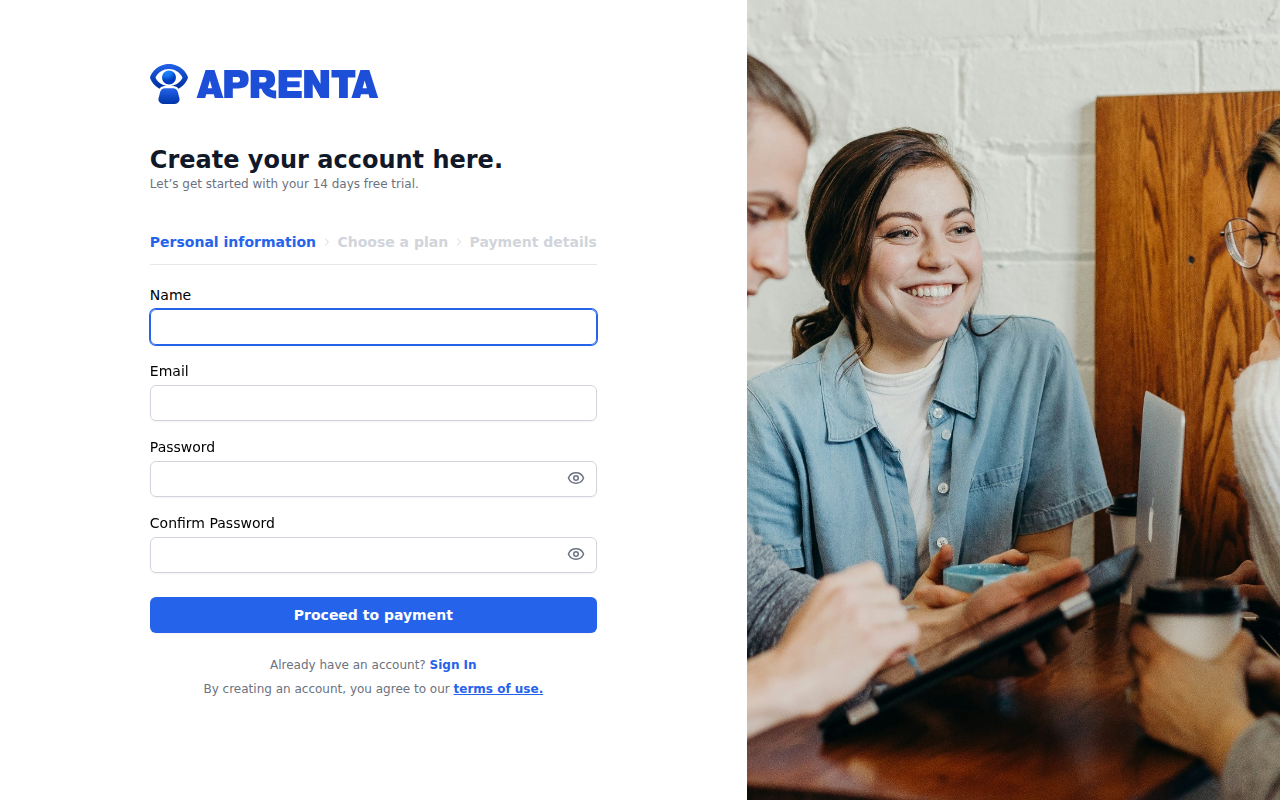
The sign-up process has three steps, shown in the stepper at the top of the page: Personal information, Choose a plan, and Payment details.
Step 1: Personal Information
Enter the following details:
- Name -- Your full name
- Email -- Your school or district email address
- Password -- Choose a secure password
- Confirm Password -- Re-enter your password to verify it matches
Click Proceed to payment to continue.
Step 2: Choose a Plan
Select the subscription plan that fits your organization:
- Monthly -- Billed on a monthly basis
- Yearly -- Billed annually at a reduced rate
The Monthly plan is selected by default. Click on a plan card to select it, then click Continue to proceed. You can also click Back to return to the previous step and update your information.
Step 3: Payment Details
Enter your card and billing information to complete registration. Aprenta uses Stripe for secure payment processing.
You will need to provide:
- Card number
- Expiration date
- CVC
- Billing information -- Your name and billing address
Once everything is filled in, click Sign up to create your account. Aprenta includes a 14-day free trial, so you will not be charged immediately.
After Sign-Up
After your account is created, you are automatically signed in and taken to your dashboard. A confirmation email is sent to the address you provided -- click the link in that email to verify your email address.
If you do not see the confirmation email, check your spam folder. You can request a new one from the login page by clicking Didn't receive confirmation instructions?
What Happens Next
As the account Owner, your first steps will typically be:
- Set up your profile -- Add a photo and confirm your details
- Create schools -- Add the schools in your district under Settings
- Invite your team -- Add principals, coaches, and teachers to each school
- Build observation forms -- Create the forms your observers will use during observations
- Start observing -- Schedule and conduct classroom observations
If you were invited to join an existing Aprenta organization instead of creating a new account, see Accepting an Invitation.
Already Have an Account?
If you already have an Aprenta account, click Sign In at the bottom of the sign-up page to go to the login page. Enter your email and password to sign in.