

Getting Started
Creating Your Account
How to sign up for Aprenta and create your account
Create Your Aprenta Account
Section titled “Create Your Aprenta Account”Getting started with Aprenta takes just a few minutes. The person who creates the account becomes the Owner and has full control over billing, account settings, and user management for the district or school.
Visit the sign-up page to begin. If you already have an account, click Sign In on the login page instead.
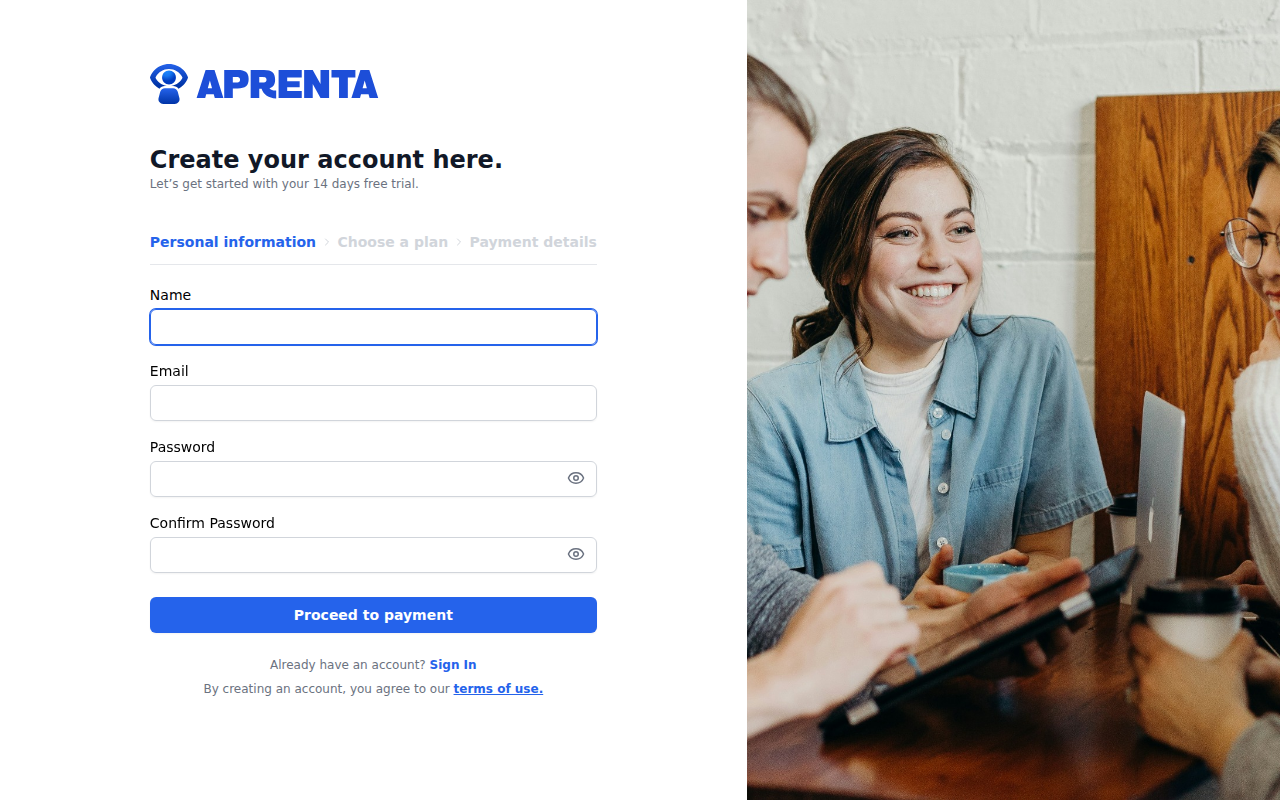
The sign-up process has three steps, shown in the stepper at the top of the page: Personal information, Choose a plan, and Payment details.
Step 1: Personal Information
Section titled “Step 1: Personal Information”Enter the following details:
- Name — Your full name
- Email — Your school or district email address
- Password — Choose a secure password
- Confirm Password — Re-enter your password to verify it matches
Click Proceed to payment to continue.
Step 2: Choose a Plan
Section titled “Step 2: Choose a Plan”Select the subscription plan that fits your organization:
- Monthly — Billed on a monthly basis
- Yearly — Billed annually at a reduced rate
The Monthly plan is selected by default. Click on a plan card to select it, then click Continue to proceed. You can also click Back to return to the previous step and update your information.
Step 3: Payment Details
Section titled “Step 3: Payment Details”Enter your card and billing information to complete registration. Aprenta uses Stripe for secure payment processing.
You will need to provide:
- Card number
- Expiration date
- CVC
- Billing information — Your name and billing address
Once everything is filled in, click Sign up to create your account. Aprenta includes a 14-day free trial, so you will not be charged immediately.
After Sign-Up
Section titled “After Sign-Up”After your account is created, you are automatically signed in and taken to your dashboard. A welcome email is sent to the address you provided. A separate confirmation email is also sent — click the link in that email to verify your email address.
If you do not see the confirmation email, check your spam folder. You can request a new one from the login page by clicking Didn’t receive confirmation instructions?
Account Settings
Section titled “Account Settings”As the Owner, you can update your account details at any time under Settings → Account. The following fields are editable:
- Account Name — The name of your district or organization
- State — Your U.S. state
- Default Timezone — Defaults to America/Chicago; used for scheduling and observation timestamps
Changes save immediately when you confirm each field.
What Happens Next
Section titled “What Happens Next”As the account Owner, your first steps will typically be:
- Set up your profile — Add a photo and confirm your details
- Create schools — Add the schools in your district under Settings
- Invite your team — Add principals, coaches, and teachers to each school
- Build observation forms — Create the forms your observers will use during observations
- Start observing — Schedule and conduct classroom observations
If you were invited to join an existing Aprenta organization instead of creating a new account, see Accepting an Invitation.
Cancelling Your Account
Section titled “Cancelling Your Account”The Danger Zone section at the bottom of Settings → Account contains a Cancel Account button. Cancelling your account permanently destroys all data and cannot be reversed. You will be asked to confirm before the cancellation is processed.
Already Have an Account?
Section titled “Already Have an Account?”If you already have an Aprenta account, click Sign In at the bottom of the sign-up page to go to the login page. Enter your email and password to sign in.